The 40-Day Defense: The Automated Collections Protocol
You don't need to be the loudest voice on the jobsite to get paid; you just need the tightest paperwork. Here is how to build a construction-specific workflow that turns overdue invoices into deposited checks—so you never have to step foot in a courtroom.
Introduction
Most contractors view legal disputes as a disaster that strikes out of nowhere. In reality, a payment dispute is the result of a process that failed weeks ago. It failed when you signed an open-ended contract. It failed when you worked past a missed payment. It failed when you sent a standard invoice instead of a documented demand. There is a myth that "wealth wins" in construction disputes. The little guy assumes he can't beat a developer with deep pockets. But wealth doesn't win construction disputes; strategy does. Courts usually resolve disputes based on rules and evidence—they’re not designed to rescue people from bad leverage positions. The contractor who documents every step, sends conditional waivers on time, and triggers formal notices automatically is the contractor who gets paid. You don't need to be aggressive to be effective. You just need to be organized. Here is how to build a back-office workflow that ensures you never have to step foot in a courtroom.
Content
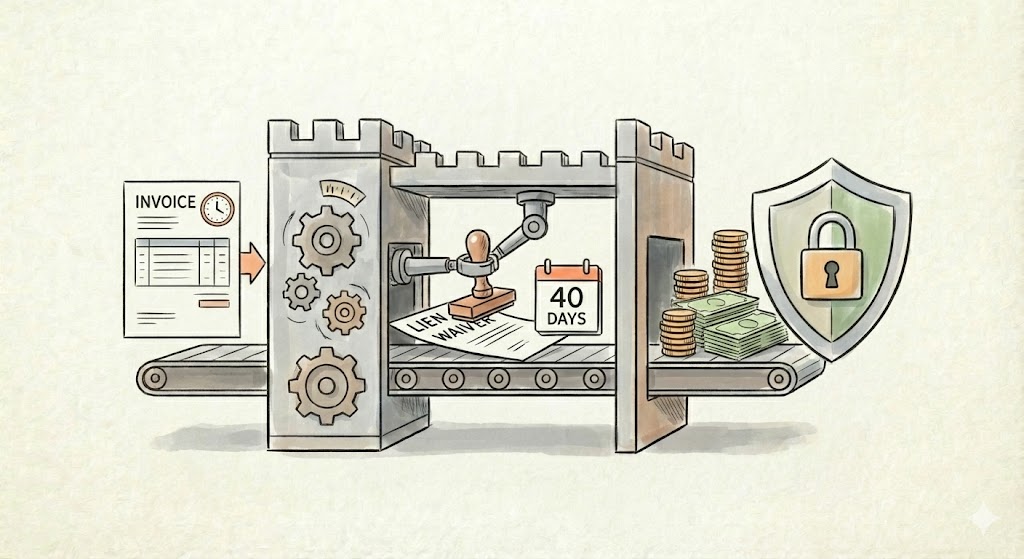
Phase 1: The Contract Structure Automation cannot fix a bad contract. Before you set up a workflow, you need Leverage. If you are currently signing whatever the GC hands you, you have likely already lost. When you sit down with your attorney to review your agreements, ensure these three concepts are included: The "Fee-Shifting" Concept: Ask your counsel to include a clause where the "prevailing party" is entitled to recover legal fees. This is your shield. A bully will think twice about stiffing you over $10k if they know they might be on the hook for $20k in your legal bills. Defined "Stop Work" Triggers: Don't rely on feelings; rely on the contract. You need a clause that explicitly empowers you to pause operations if payment is not received by a specific day (e.g., Day 10). This prevents you from digging a deeper hole. Progress Payments: Never backload your profit. Structure your billing schedule to ensure you remain cash-positive at every stage of the build. Phase 2: The "Conditional" Lien Waiver Many contractors mess this up. They hand over a standard Lien Waiver hoping it releases the check. Or, the GC refuses to cut the check until they get the waiver. A "Conditional Waiver" is a specific document that waives your lien rights ONLY upon the condition that the check actually clears the bank. The Workflow: Trigger: You send an Invoice via your accounting software. Action: Your system automatically generates a Conditional Lien Waiver for that exact amount and attaches it to the invoice. The psychology behind this is that you are saying, "Here is the document you need to protect the building owner, but it is useless until you pay me." It removes the friction and excuses for delay. Phase 3: The "Bad Cop" Automation (The Enforcer) The hardest part of collections is the awkwardness. You don't want to call a GC you like and nag them for money. You want to be the "Good Cop" (the skilled framer), not the "Bad Cop" (the debt collector). So, let the robot be the Bad Cop. We build an automation sequence that escalates strictly based on the calendar, removing emotion from the process. The Workflow: Day 0 (Invoice Sent): System sends Invoice + Conditional Waiver. Day 25 (The Nudge): Trigger: Invoice is unpaid 5 days before the due date. Action: Automated email: "Just a reminder, Invoice #123 is due Friday. Please let us know if you need another copy of the Lien Waiver." Day 31 (The Breach): Trigger: Invoice is 1 day late. Action: Automated SMS & Email: "Payment was not received. Per our contract terms, a late fee has been added. Please remit immediately to avoid a Stop Work notice." Day 40 (The Nuclear Option): Trigger: 10 days late. Action: The system drafts a Notice of Intent to Lien (or the relevant pre-lien notice for your state). It sends it to YOU for approval. Depending on how you want to handle it, you can press one button, and the certified letter is mailed. The Verdict: Strategy Wins When you rely on manual follow-ups, you hesitate. You let it slide a week because you "don't want to ruffle feathers." That hesitation is what kills your cash flow. Automation enforces the contract without emotion. It proves to the GC that you are running a professional operation. When they see the "Notice of Intent" draft land in their inbox automatically on Day 40, they prioritize your check over the guy who is just "hoping" to get paid.
Let's Work together
Practical Workflows isn't a law firm. We don't write the contracts. We automate this entire 40-day workflow by connecting your invoicing tools to your communication channels. Instead of spending your evenings playing "debt collector," you can spend that time growing your business, knowing that your payment terms are being enforced automatically in the background. Stop negotiating for money you already earned. Disclaimer: Practical Workflows provides administrative systems, not legal advice. Always have an attorney review your contracts and lien strategies for state-specific compliance.